Close

[Bug reported] Automatically reverse the webcam feed

Having trouble with Sighthound Video? Post here for help.

Moderator: Staff

no avatar
kamcm
 
Posts: 3
Joined: Thu Apr 05, 2012 3:36 pm

[Bug reported] Automatically reverse the webcam feed

by kamcm » Thu Apr 05, 2012 3:44 pm

The Problem is Vitamin D Video automatically reverse the webcam feed which obtain from webcamxp

The web interface can display correctly, but when that webcam feed go into Vitamin D Video, it's reverse.

Screenshot for your reference :http://kamserver.com/upload/2012-4-5.gif
Image

Please fix this problem,

Regards,

Kam
Last edited by kamcm on Sun Apr 08, 2012 10:07 pm, edited 1 time in total.

no avatar
kamcm
 
Posts: 3
Joined: Thu Apr 05, 2012 3:36 pm

Re: [Pls help] Automatically reverse the webcam feed

by kamcm » Sun Apr 08, 2012 10:06 pm

I think I am not the only one suffer from this problem.

Please fix the bug or provide 180 rotate,

Regards,

Kam

User avatar
Semper Vaporo
 
Posts: 331
Joined: Sat Oct 09, 2010 11:51 am

Re: [Bug reported] Automatically reverse the webcam feed

by Semper Vaporo » Mon Apr 09, 2012 1:33 pm

Sorry no one has replied sooner.

I had to widen my screen considerably to be able to view the image you posted to realize what was wrong.

Mighty strange!

It seems to be flipped vertically and I thought at first that it is a feature of some cameras so they can be mounted upright on a table or flipped upside-down and hung from the ceiling. When hung upside-down the image will also be upside-down, so the camera has a setting to flip the video over. But mounting the camera upside-down also reverses the image left to right, not just upside-down so that is probably not the problem.

Some cameras have a mirror image feature that will reverse an image left to right so it can view a scene in a mirror. Maybe your camera is mounted upside-down and set to mirror the image???

Concerning your problem here, my guess here is that VDV is accessing one video feed that is one way around and the other viewing software is accessing a different feed that is the opposite orientation.

I don't know what brand/model camera you have, and even if I did, I probably wouldn't know how to change the name of the feed to be the same for VDV as the other viewing software, nor exactly what to change in the camera's setup to flip the video over for the VDV feed. So, the best I can suggest is to look at the documentation for the camera and look for the setting for "upside-down" or "flip" or "Invert" to see how to change it.

Or find how to specify the video feed that is used by your other viewing software and specify that for VDV too.

Maybe the other viewing software knows that the video is upside-down and is flipping it over for you and since VDV does not know, it just presents it the way it is received. I think there has already been a request to have an option in VDV to invert the video, so maybe someday it will have the ability to do so.

I suppose you could find a way to mount the camera upside-down and view the scene in a mirror???? Maybe?

If you provide the name and model number of the camera, maybe one of the VDV techs will know what to do. I am surprised they have not responded yet to ask for that info already.
Semper Vaporo,

no avatar
kamcm
 
Posts: 3
Joined: Thu Apr 05, 2012 3:36 pm

Re: [Bug reported] Automatically reverse the webcam feed

by kamcm » Mon Apr 09, 2012 3:59 pm

Thanks for your reply,

I use below camera and it's installed on the door,
Image

My computer has installed a capture card which used to capture analog signal, the model is "ProHDTV Dual 3"
Image
Capture card manufacture: http://www.magic-pro.com/en/product/oth ... V_Dual.htm

----------------------
If I directly use vitamindvideo to connect with the camera via capture card, The webcam feed will not reverse.

However, when the webcam feed go into webcamxp first, and use vitamindvideo to obtain the webcam feed from webcamxp web server, the screen reverse.

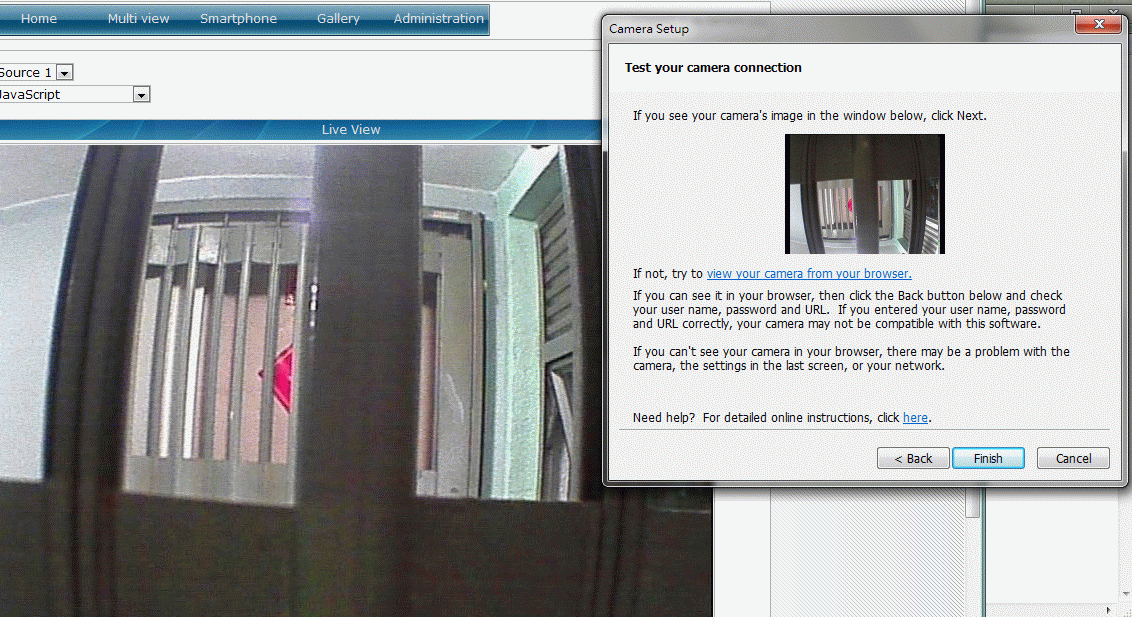
In order to find out whether it's vitamindvideo or webcamxp problem, I installed a 3rd party software, "IP camera viewer"
http://www.deskshare.com/ip-camera-viewer.aspx

When the "IP camera viewer" obtain the webcam feed from webcamxp, the feed have not reverse.
Although "IP camera viewer" provided a rotate function but I did not need to use it.
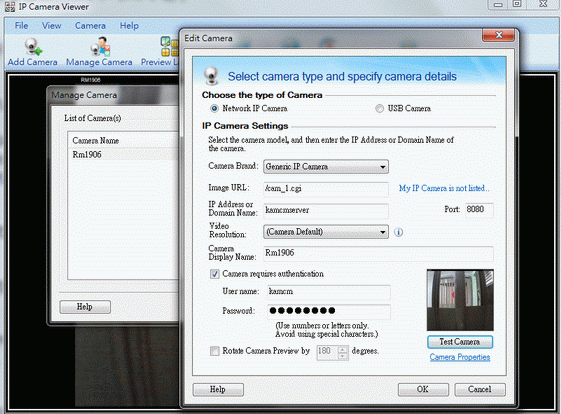
Image

-------------------
Conclusion: vitamin d video have a bug.

Please let me know what you think,

Regards,

Kam
no avatar
thirdoff
 
Posts: 1
Joined: Sat Mar 23, 2013 12:35 am

Re: [Bug reported] Automatically reverse the webcam feed

by thirdoff » Sat Mar 23, 2013 12:55 am

Same exact error/issue here. Any updates?

User avatar
ryan
 
Posts: 1015
Joined: Wed Aug 25, 2010 2:52 pm
Location: Palo Alto, California

Re: [Bug reported] Automatically reverse the webcam feed

by ryan » Sat Mar 23, 2013 3:28 pm

Hi thirdoff,

When you view the stream from another media player such as Quicktime or VLC, how does the image appear? I have not used webcamXP, but it appears to support rotation of the stream, you could use this as a workaround in the meantime.


Return to Technical Support