Close

Struggling to Connect to Foscam Fl8908W

Having trouble with Sighthound Video? Post here for help.

Moderator: Staff

no avatar
Marekb
 
Posts: 1
Joined: Wed Nov 03, 2010 9:32 am

Struggling to Connect to Foscam Fl8908W

by Marekb » Wed Nov 03, 2010 9:51 am

I'm very keen to get purchase your Pro Edition, but am unable to connect Vitamin d to recognize my Foscam IP camera.

The camera works perfectly via my browser on both Wifi and external Internet (using dyndns.org). It also works fine with a Foscam iPhone app I bought.

I've tried all the Foscam camera type options including 'Other' and manually entered the settings - with no success. :(

Any suggestions?

User avatar
ryan
 
Posts: 1015
Joined: Wed Aug 25, 2010 2:52 pm
Location: Palo Alto, California

Re: Struggling to Connect to Foscam Fl8908W

by ryan » Thu Nov 04, 2010 12:32 am

Hi Marekb,

What address are you trying to connect with? It should be http://USERNAME:PASSWORD@IP/videostream.cgi or http://IP/videostream.asf?user=USERNAME&pwd=PASSWORD

If you put the above address into a media player (such as vlc) does it load? http://www.gadgetvictims.com/2009/07/fo ... t-two.html also mentions that you might need to upgrade your firmware first.

Also, unfortunately in the past there have been reports of counterfeit Foscam models which have different/incompatible firmware that don't use the above addresses, hopefully you don't have one of those.

Let me know how it goes and I'd be happy to help more!
Learn more about Sighthound Video in our support pages - Reference Guide | All Articles
Are you a developer? Check out our cloud APIs - Demo | Docs

no avatar
errellion
 

Re: Struggling to Connect to Foscam Fl8908W

by errellion » Thu Nov 18, 2010 6:52 pm

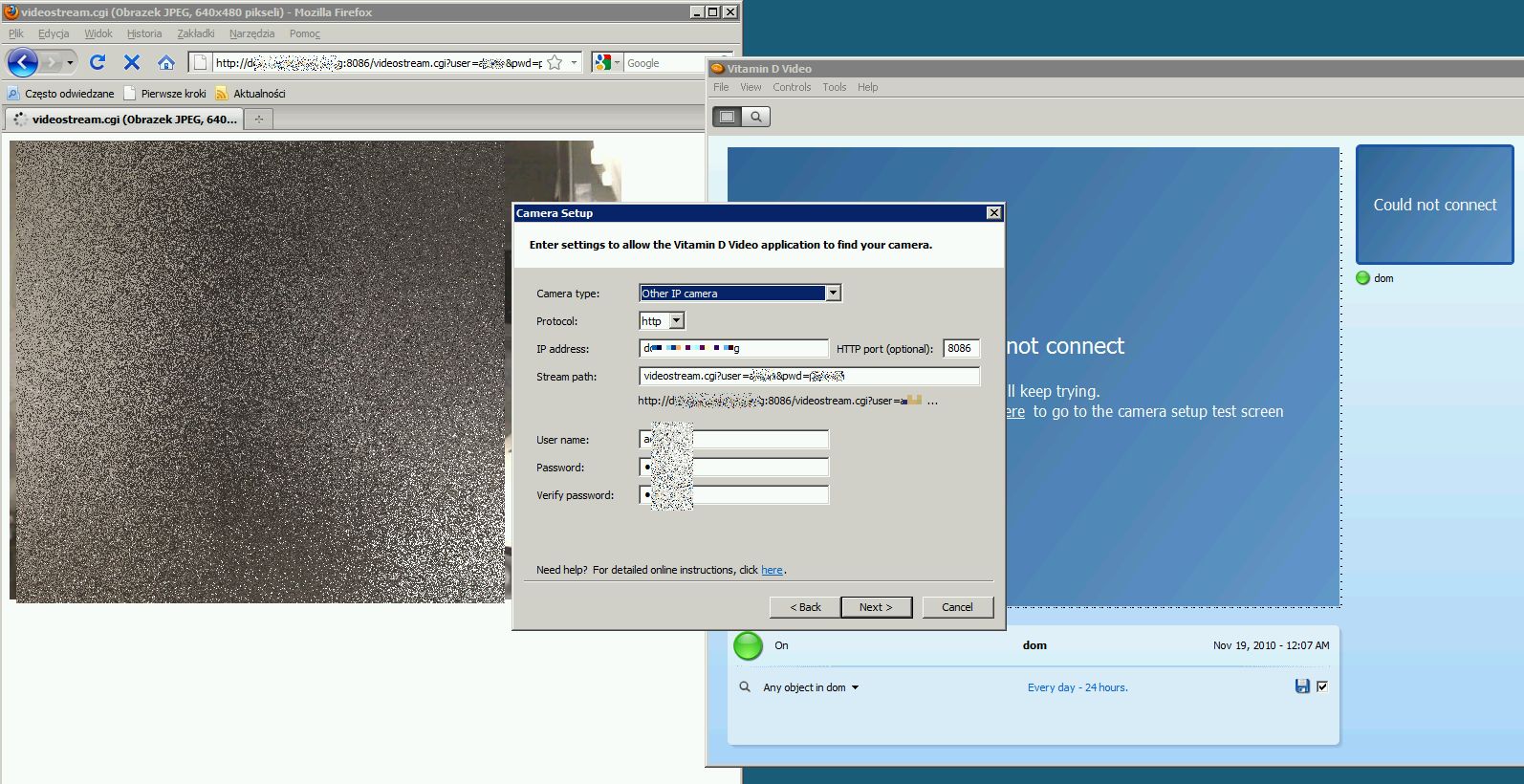
got the same problem. FOSCAM works on LAN, and on Internet (http://IP:8086). Works also on Vitamine in LAN (ip: 10.1.78.250 port 80). However on Vitamine acessing it from Internet - so the port must be forwarded - it can't connect. I tried to put addresses formats provided by ryan, but Vitamine refuses to accept those. It only accept IP or domain name but still no luck.

no avatar
errellion
 
Posts: 2
Joined: Thu Nov 18, 2010 7:07 pm

Re: Struggling to Connect to Foscam Fl8908W

by errellion » Thu Nov 18, 2010 7:22 pm

Still no luck even if I setup camera as other with parameters in url. If this helps, below screenshot of configuration in Vitamin and in a browser.

Image

User avatar
ryan
 
Posts: 1015
Joined: Wed Aug 25, 2010 2:52 pm
Location: Palo Alto, California

Re: Struggling to Connect to Foscam Fl8908W

by ryan » Thu Nov 18, 2010 10:51 pm

Hi errellion,

If you have it working on your LAN the only things you should need to change to view it remotely would be the IP address and the port number (if it isn't 80). You shouldn't need to alter the streampath or other settings. I've definitely done this with DNS routing services such as dyndns.org. Which provider are you using? If you don't want to publicly post you can send me a private message.
Learn more about Sighthound Video in our support pages - Reference Guide | All Articles
Are you a developer? Check out our cloud APIs - Demo | Docs

no avatar
errellion
 
Posts: 2
Joined: Thu Nov 18, 2010 7:07 pm

Re: Struggling to Connect to Foscam Fl8908W

by errellion » Fri Nov 19, 2010 4:08 am

I sent You PM with details, if We can figure something, I will post it here for other people who have the same problem.


Return to Technical Support