Close

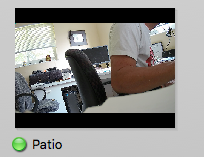
Thumbnail image for HIKVISION camera issue

Having trouble with Sighthound Video? Post here for help.

Moderator: Staff

no avatar
wa4cbg
 
Posts: 1
Joined: Mon May 16, 2016 9:17 am

Thumbnail image for HIKVISION camera issue

by wa4cbg » Mon May 16, 2016 9:27 am

Screen Shot 2016-05-16 at 9.28.50 AM.png
Thumbnail image - Hikvision camera
Screen Shot 2016-05-16 at 9.28.50 AM.png (44.75 KiB) Viewed 1401 times
I just installed a HIKVISION ds-2cd2042wd-i 4mp bullet camera and noticed that the thumbnail image has a black band on the top and bottom. Is this an aspect ratio issue? Please advise if there is anything I can do on my end to resolve this. My other cameras are the Logitech Alert and they don't have this issue..

BTW - I had to manually configure the Hikvision camera because the default configuration had an issue which has been documented on this board (Camera Login /password wont work)

User avatar
Devin
 
Posts: 719
Joined: Wed Mar 12, 2014 5:48 pm

Re: Thumbnail image for HIKVISION camera issue

by Devin » Wed May 18, 2016 6:05 pm

Hello wa4cbg,

The camera preview thumbnails are set to a fixed height and width, so if the cameras aspect ratio does not match the image is centered with a black background as seen in your screen shot. There isn't a way to change this without changing the resolution your camera is streaming at.

Regards,

-Devin


Return to Technical Support
cron